0 > 1 PROJECT

ROLE
UX/UI Designer
DURATION
Nov 2023 - Sep 2024
TOOLS
Figma, Illustrator, Premiere,
Visual Studio Code, Procreate
TEAM
4 Designers + 8 Developers
WriteGirl, based in Los Angeles, empowers underserved girls and gender-expansive youth by promoting creativity and self-expression through mentorship from a community of women writers. With over 200 volunteer women writers, WriteGirl serves more than 500 girls each year. They conduct numerous workshops, panel discussions, and special events annually, helping participants develop their creativity, succeed in high school, and prepare for college.
THE PROBLEM
The transition to digital spaces has proven challenging, as writing workshops and mentoring sessions lose some of their impact and robustness online. WriteGirl engages with young people from as far away as Uganda and Tajikistan, who are unable to attend in-person events and resources, highlighting the need for a more effective digital solution.
THE SOLUTION
In collaboration with our product partners at WriteGirl, we identified key pain points and potential projects, leading us to conceptualize a creative writing app. This app aims to replicate the enriching experience of WriteGirl’s in-person workshops in a digital format, making their resources more accessible worldwide.
Our vision for the app includes features designed to appeal to a wide audience, including girls, gender-expansive youth, and even adults of all genders. The distinctive features we planned are intended to serve as tools or companions for writers, much like WriteGirl’s workshops.
COMPETITIVE ANALYSIS
We conducted an audit of the strengths and weaknesses of 6 existing apps in the creative writing market. The main takeaway was that these apps often provided surface-level content. We aimed to differentiate our app not only through its immersive design but also through the depth and quality of its activities.

Post-interviews, we created an affinity map to categorize the challenges, processes, and motivations shared by users.

INSIGHT SYNTHESIS
USER FLOWS
We used insights from our competitive analysis, interviews, and affinity mapping to create user journeys within our app. This process helped us design intuitive and engaging user flows that addressed the identified pain points and aligned with WriteGirl's mission.

ITERATIONS
USABILITY TESTING
After conducting usability testing with seven users, we identified opportunities to enhance the user experience and design. We focused on understanding where users struggled, why they encountered these difficulties, and how we could improve the app.
Users had difficulty discovering and consistently using the different app features, particularly the history feature.
We made the history feature more accessible on end state pages, eliminating the need for backtracking and improving discoverability.

Users suggested clearer guiding text and action phrases for a more intuitive and personable app experience.
We incorporated user-centric wording, making buttons more intuitive and the app more relatable.
For example, we changed "type of break" to "part of you," "mental" to "my mind," and "physical" to "all of me."

We decided to remove graphics and keep texts only.
This choice empowers users to imagine what the text might look like through their own creativity, as opposed being guided towards a predefined visualization

Users want the app to be welcoming and easy to reach out for.
In addition to more user-centric wording, when users scroll to the bottom of the screen, they will see friendly and encouraging messages. This humanization also brings in the in-person workshop touch.

DESIGN SYSTEM

FINAL DESIGNS
This section brings together four writing activities that are powered by the same creative intention, but expressed through different interaction models—offering multiple ways to find a prompt, build direction, and begin writing.


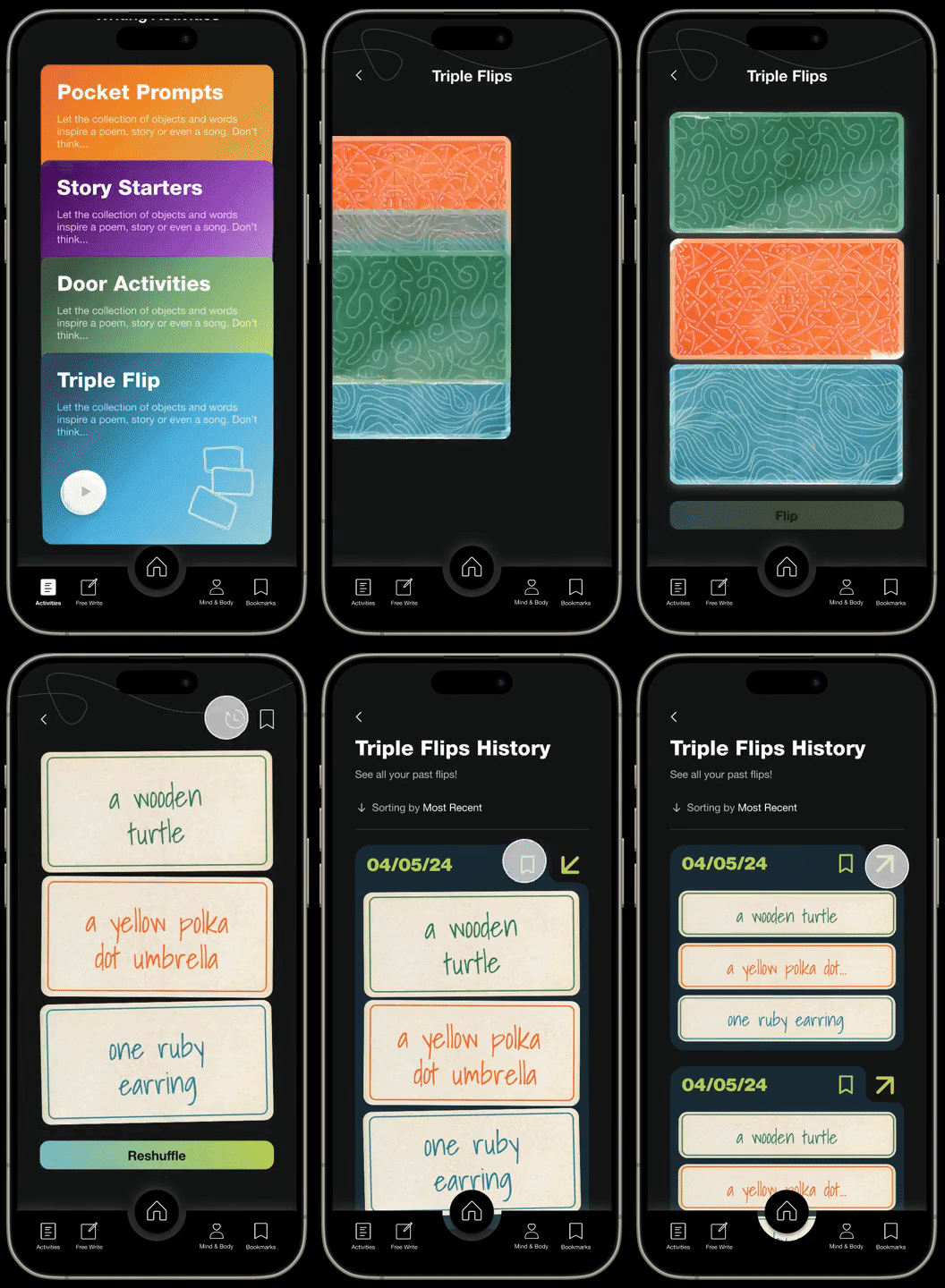
Flip the cards for a prompt. ᐅ Shuffle for a new selection. ᐅ Save in bookmarks if you like the selection. ᐅ Start writing!
Swipe or scroll to select a door to enter ᐅ Enter door aka genre ᐅ Walk through steps of the activity ᐅ Save the genre in bookmark to revisit.
Click on a story ᐅ Start writing a story based on generated prompt ᐅ Reshuffle for a new prompt ᐅ Save prompt in bookmark to revisit.
A quick start to writing ᐅ Reshuffle for new ideas ᐅ Start writing based on the creative prompts.
Writing isn’t always about producing—sometimes you need room to breathe. These two spaces are designed to help writers step out of the pressure, reset their mind and body, and come back to the page with more clarity and ease.


ᐅ Create a place where you're comfortable.
ᐅ Choose a song and background.
ᐅ Start writing based on your mood.
ᐅ Feel free to add a timer.
ᐅ Writing also involves rest.
ᐅ Select what type of break you would like to take.
ᐅ Set up a timer to refocus.
ᐅ Once well rested, start writing again!
This section highlights BoldInk’s core loop: start writing fast, then save what’s worth returning to. The Home screen acts as the central hub—surfacing every activity and making it easy to jump in based on your mood or what you need in the moment. Bookmarks closes the loop by organizing your saved prompts and sessions into a personal library, so you can revisit ideas later, pick up where you left off, and never lose a spark when inspiration hits.


ᐅ Learn about all the tools and features.
ᐅ Look into Writing Activities.
ᐅ Take a break from writing.
ᐅ Read writing tips.
ᐅ Revisit your saved topics.
ᐅ Categorize your saved topics based on theme.
ᐅ Visit saved bookmark when stuck.
MAIN TAKEAWAYS
As a designer it is important to experiment with various design elements and WriteGirl truly allowed me to challenge myself. I got to experiment with fun fonts, colors, and even create my own illustrations.
1
Playing with Colors
WriteGirl incorporates a lot of color and design elements, making it difficult to find a good balance between the mature yet playful nature of the app. As a designer who loves minimalism with accents, WriteGirl was truly a challenge as I had to play with shades of orange and green. It was a hard process figuring out how and where to place colors, but am so happy to see the final product successfully capturing the identity of WriteGirl.
2
Embodying the Brand
When designing, it is always important to understand the brand and what their identity is. WriteGirl prioritizes a playful environment but also an informational and mature environment for writers to grow. While playing with fun illustrations and colors, we always had to consider creating a strong foundation for solving issues behind writers' block.
3
Unique Prototypes and Designs
The WriteGirl app plays with a lot of features like Triple Flips, Sticky Notes, moving graphics, etc. As much as it was a struggle to develop, it was a struggle figuring out how to prototype them. Our design team experimented with various ways to make features look as seamless as possible which came with a lot of experimentation, but also a lot of fun. I also got to create hand-drawn illustrations to embody the playful identity!
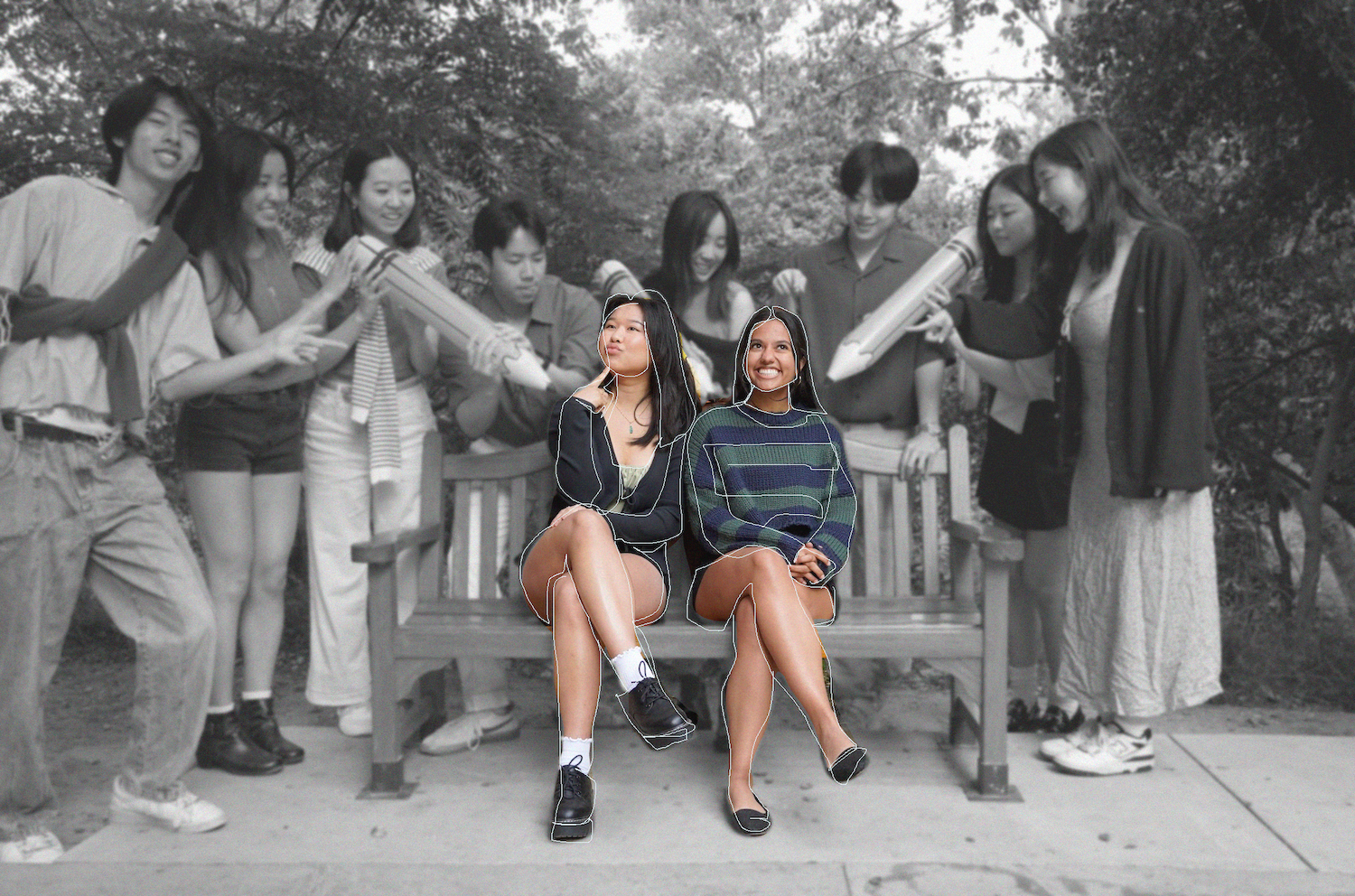
I love this team so much. Not only did I learn so much but I've met lifelong friends and further discovered my love for creative design. Thank you for the best year. Shoutout to Angela Ling, Caroline DebBaruah, Eric Zhou, Mackenzie Smith, Joy Cheng, Angela Hao, Jasmine Wongphatarakul, Edward Ng, Daniel Kao, Erin Kwon, and Cheryl Wu.
* The BoldInk app will be deployed so soon.